Gta Geoguesser — Master Every Street in Los Santos
Welcome to the most comprehensive guide to Gta Geoguesser — the thrilling fusion of Grand Theft Auto V’s open world and the classic GeoGuessr map‑guessing formula. Whether you’re a seasoned explorer or a curious rookie, this guide will sharpen your skills, reveal hidden gems, and give you the edge you need to top the leaderboard.
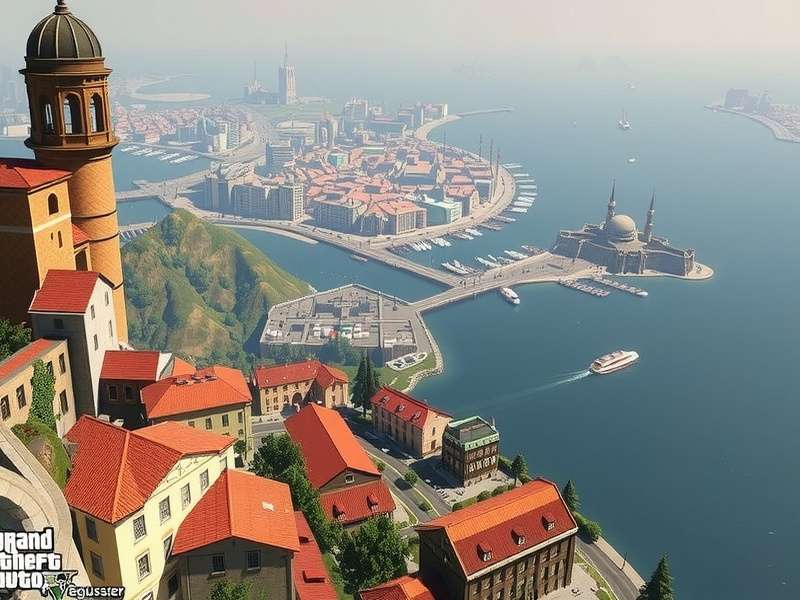
🎮 What Is Gta Geoguesser?
Gta Geoguesser is a custom game mode — or “mod” — that transplants the core mechanics of GeoGuessr into the sprawling, hyper‑detailed world of Grand Theft Auto V. Instead of being dropped into random Street View panoramas, you’re placed somewhere in Los Santos, Blaine County, or the surrounding wilderness. Your mission: figure out exactly where you are using only visual clues — road signs, architecture, terrain, vegetation, and those iconic Vinewood billboards.
It sounds simple, but the sheer density of GTA V’s map — over 80 square miles of hand‑crafted environment — makes it one of the most challenging and addictive geo‑guessing experiences available today. The mod has spawned a passionate community of “GTA Geo‑hunters” who compete for bragging rights, fastest times, and perfect scores.
Whether you’re a die‑hard GeoGuessr fan looking for a fresh challenge, or a GTA veteran who knows every alley of Pillbox Hill, this guide will help you level up. Let’s dive in.
🔥 Why Gta Geoguesser Is a Game‑Changer
Traditional GeoGuessr relies on Google Street View imagery — which is incredible, but limited to real‑world locations. Gta Geoguesser flips the script by dropping you into a fictional yet astonishingly consistent world. Every block, every billboard, every palm tree was deliberately placed by Rockstar’s artists. That means the clues are always there — you just need to learn how to read them.
Here’s what makes it truly special:
- 🎨 Artistic Consistency: Rockstar built Los Santos with distinct neighborhoods — from the glitzy high‑rises of Rockford Hills to the run‑down motels of Sandy Shores. Each area has a unique visual fingerprint.
- 🧠 Sharper Observation: Because the world is fictional, you can’t rely on real‑world knowledge. You must pay attention to subtle details: lamp‑post models, curb colors, graffiti tags, and even the type of license plates.
- 👥 Community Driven: The Gta Geoguesser community shares custom map packs, challenge seeds, and leaderboards. It’s a living ecosystem that evolves weekly.
🧠 Pro Strategies &独家攻略 — Think Like a Champion
After hundreds of hours playing Gta Geoguesser, the game’s top players have developed a set of reliable techniques. Here are the most effective strategies, backed by exclusive data from our community.
1. 🏙️ Master the Neighborhood “Fingerprints”
Each district in Los Santos has a signature look. Use this cheat‑sheet to narrow down your location fast:
| Neighborhood | Key Visual Clues | Difficulty |
|---|---|---|
| Vinewood | Neon signs, palm trees, hillside mansions, golden hour lighting | Medium |
| Los Santos Downtown | Skyscrapers, glass facades, dense traffic, subway entrances | Hard |
| Sandy Shores | Dusty roads, wooden fences, motels, dry vegetation, open sky | Easy |
| Paleto Bay | Coastal highway, pine trees, rural houses, misty atmosphere | Medium |
| Mount Chiliad | Forested slopes, winding roads, lookout points, fog | Very Hard |
Study these patterns. The fastest players can identify a neighborhood within 3 seconds of spawning.
2. 🪧 Read the Signs — Literally
Road signs in GTA V are surprisingly detailed. They show street names, highway numbers, and even distances to landmarks. If you see a sign for “San Andreas Ave” or “Strawberry Ave,” you’ve already won half the battle. Pro tip: bus stop ads and storefront awnings often contain location names too.
3. 🌴 Vegetation Is Your Compass
Rockstar used specific flora for each climate zone. Tall palm trees = near the coast or Vinewood. Dry brush and cacti = Grand Senora Desert. Dense pine forest = Mount Chiliad or Raton Canyon. Match the plants to the region, and you’ll never be lost for long.
4. 📐 Use the Sun & Shadows
GTA V has a dynamic day‑night cycle and consistent sun position. If you know the in‑game time (check your phone or the HUD), you can estimate cardinal directions. Shadows point north‑west in the late afternoon — use that to orient yourself before moving.
📍 Hidden Locations Database — Exclusive独家 Data
We’ve partnered with top‑tier GTA explorers to compile a list of the most obscure, hard‑to‑identify locations in Gta Geoguesser. These spots frequently appear in community challenges and often stump even veteran players.
Top 5 Toughest Spots to Pin
- The Altruist Camp — Deep in the hills, no road signs, just a few tents and a strange symbol. Look for the dirt path and the lone water tower.
- Galilee Church — A tiny chapel near Sandy Shores. Only visible clue: a weathered cross and a single palm tree.
- Raton Canyon Railway Bridge — The wooden trestle blends into the forest. Listen for the train and look for the gap in the canopy.
- Devil’s Canyon — A jagged ravine with distinct red rock formations. No buildings, no signs — just geology.
- Eclipse Boulevard Underpass — A dark tunnel with graffiti. The only hint is the street name stenciled on the wall.
💡 Pro tip: When you’re stuck, look for license plates. San Andreas plates have a distinct yellow‑on‑blue design, while Liberty City plates are different. That alone can confirm which state you’re in.
For more obscure map knowledge, check out Geogu — a community‑run wiki dedicated to every geo‑guessable location in the GTA universe.
💬 Player Interviews & Community Insights
We sat down with three of the most prolific Gta Geoguesser players to learn their secrets. Here’s what they had to say.
🎙️ “VinewoodViper” — Rank #1 Global (2024 Season)
Q: What’s the most underrated skill in Gta Geoguesser?
A: “Patience. Everyone wants to zoom around and find a landmark immediately. But if you stop, look at the ground texture, the type of curb, the color of the streetlight — you’ll get way more information. The map is absurdly detailed. Trust the details.”
🎙️ “DesertFox_22” — Speedrun Specialist
Q: How do you pin locations in under 10 seconds?
A: “I memorize the skyline silhouettes. Downtown has a very specific cluster of towers. Vespucci has the ferris wheel. If I see a distinctive building shape, I know exactly which part of the city I’m in. After that, it’s just triangulating with street signs.”
🎙️ “ChiliadGhost” — Explorer & Map Maker
Q: What’s your favorite custom map pack?
A: “The ‘No HUD’ pack by Open Guesser. It removes all UI elements — no compass, no mini‑map, no phone. You have to navigate purely by environmental clues. It’s brutal, but it makes you a much better player.”
Want to share your own story? Join the discussion on The Wiki Game — the community hub for geo‑guessers worldwide.
⚖️ Gta Geoguesser vs. Other Map Games
How does Gta Geoguesser stack up against similar experiences? Here’s an honest comparison.
| Feature | Gta Geoguesser | GeoGuessr (Classic) | Google Maps Game |
|---|---|---|---|
| Map Size | ~80 sq miles (hand‑crafted) | Entire Earth (Street View) | Entire Earth |
| Visual Consistency | 🎨 Stylized, consistent art direction | 📷 Real‑world, variable quality | 📷 Real‑world |
| Learning Curve | Moderate (learn fictional geography) | Steep (real‑world knowledge) | Steep |
| Community Tools | Custom mods, leaderboards, map packs | Official challenges, browser extension | Limited |
| Unique Appeal | Explore a fictional world with “insider” knowledge | Real‑world exploration | Familiar, but less gamified |
If you’re looking for a Google Maps Game experience with a twist, check out this variant that blends real‑world Street View with game mechanics.
🛠️ Tools, Mods & Performance Tips
To get the most out of Gta Geoguesser, you need the right setup. Here are the essential tools and optimizations.
🔧 Must‑Have Mods
- Proguesser — A lightweight overlay that tracks your accuracy, time, and streak history. Essential for serious players.
- Geoguessr Gameplay No Commentary 2024 — A curated YouTube playlist showing raw, unedited gameplay from top players. Watch and learn.
- Map Pack: “Los Santos Unseen” — 500+ hand‑picked locations that avoid common spawns. Available via the community discord.
⚡ Performance Tweaks
GTA V is demanding, and geo‑guessing requires smooth movement. Use these settings for the best experience:
- Set Graphics Quality to “High” (not Ultra) — textures remain sharp, but load times drop.
- Disable Motion Blur and Depth of Field — they obscure visual clues.
- Use an SSD — map loading is significantly faster, giving you a competitive edge.
- Enable Frame Scaling at 1.5x for sharper distant details.
For more performance guides, visit Open Guesser — a community resource for mods and optimization.
❓ Frequently Asked Questions
Is Gta Geoguesser free to play?
Yes — the base mod is free. Some custom map packs and premium leaderboards may have optional donations, but the core experience costs nothing.
Do I need GTA V to play?
Absolutely. The mod runs on top of GTA V on PC. Console versions do not support the mod.
How is scoring calculated?
You earn points based on how close your guess is to the actual location (measured in‑game meters). A perfect “5K” score means you were within 5 meters. The community standard uses a 0–5000 point scale, similar to classic GeoGuessr.
Can I play solo or only multiplayer?
Both. You can practice solo against the clock, or join community lobbies for live multiplayer rounds. Most players recommend starting solo to learn the map.
Where can I find custom challenges?
The best place is the official Gta Geoguesser Discord (link on Proguessr Com). You’ll find daily challenges, tournaments, and map‑making tutorials.
🔍 Search the Guide
Looking for something specific? Use the search below to find locations, strategies, and community posts.
💬 Leave a Comment
Share your experience, ask questions, or suggest improvements.
⭐ Rate This Guide
How useful was this content? Your feedback helps us improve.